hi
We have a primary site with more than 60 workstaion and laptops being managed by SCCM 2012 R2. recently i had a win 10 machine and trying to push client and failed. found your article and upgrade SCCM to R2 SP1. now, i am able to directly push client from sccm wizard and it gets installed but on configuration manager: certificate = none and actions = machine and user policy retrieval, and all components showing installed except one disabled.
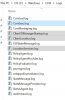
i am attaching the logs here.
I followed this artcle and tried to push client again. now i am getting all CCM and CCMSetup folders but cant find configuration manager on control panel. and the logs showing same errors.
Please help. help will be much appreciated.
We have a primary site with more than 60 workstaion and laptops being managed by SCCM 2012 R2. recently i had a win 10 machine and trying to push client and failed. found your article and upgrade SCCM to R2 SP1. now, i am able to directly push client from sccm wizard and it gets installed but on configuration manager: certificate = none and actions = machine and user policy retrieval, and all components showing installed except one disabled.
i am attaching the logs here.
I followed this artcle and tried to push client again. now i am getting all CCM and CCMSetup folders but cant find configuration manager on control panel. and the logs showing same errors.
Please help. help will be much appreciated.