Gangaiah Lakkakula
Active Member
- Messages
- 33
- Solutions
- 1
- Reaction score
- 0
- Points
- 6
Hi,
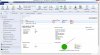
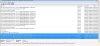
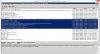
I successfully build new Application(Adobe reader) in SCCM Console. In that process I deployed this application into one of my client machine. In SCCM console it shows deploy status is 1. But coming to client machine it didn't deployed. We also refreshed Application Deployment Evaluation Cycle,Machine Policy Retrieval & Evaluation and User Acceptance cycles in configuration manager in Client machine. Please find the attachments.
I successfully build new Application(Adobe reader) in SCCM Console. In that process I deployed this application into one of my client machine. In SCCM console it shows deploy status is 1. But coming to client machine it didn't deployed. We also refreshed Application Deployment Evaluation Cycle,Machine Policy Retrieval & Evaluation and User Acceptance cycles in configuration manager in Client machine. Please find the attachments.