Fernando Monteiro
Member
- Messages
- 6
- Reaction score
- 0
- Points
- 1
We have updated the operating system version of the Distribution Point Server.
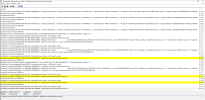
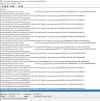
After this procedure, we notice that the application arrives at the client, but no package or application has been executed, it just loads and does not download or install the application.
In the path "\\meupc\ccmcache\", notice that the file is not downloaded to the client, and there is no file inside.
The Central site informs that the package was successfully delivered to the "DP", the client receives the application in the "Software Central", but the download and execution of the application is not performed.
After this procedure, we notice that the application arrives at the client, but no package or application has been executed, it just loads and does not download or install the application.
In the path "\\meupc\ccmcache\", notice that the file is not downloaded to the client, and there is no file inside.
The Central site informs that the package was successfully delivered to the "DP", the client receives the application in the "Software Central", but the download and execution of the application is not performed.
Last edited: