Forums on Intune, SCCM, and Windows 11

Welcome to the forums. Register a free account today to become a member! Once signed in, you'll be able to participate on this site by adding your topics and posts, as well as connect with other members through your own private inbox!

SOLVED Wsyncmgr.log : The Microsoft Software License Terms have not been completely downloaded and~~cannot be accepted. Please help!

  • Thread starter Thread starter MJ-Tech
  • Start date Start date
  • Replies Replies 3
  • Views Views 13K

MJ-Tech

Well-Known Member
Messages
217
Solutions
25
Reaction score
21
Points
18
I am having a synchronization issue from WSUS to the SCCM console. Request your kind help to assist with this. I have researched many forums about this error unfortunately none of them fixed this issue.
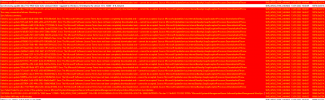
1642093594313.png
Issue:

If i select only below check boxes in classification tab, no issue in synchronization [SUCCESS]
  • Critical
  • Definition
  • Security
If I select additional check boxes, synchronization is not successful. Error - [ FAILURE]

Wsyncmgr.log : The Microsoft Software License Terms have not been completely downloaded and~~cannot be accepted​

  • service pack
  • update Rollups
  • updates
  • upgrade

As per technical forum, i have tried below steps as well but no luck,

Step : 1
  1. Uninstall SUP role (Reboot)
  2. Uninstall WSUS (Reboot)
  3. Re-install WSUS (Reboot)
  4. Install SUP
  5. Un-check all from classification
  6. Synchronize
  7. Check all except tools and features pack
  8. synchronize

Step : 2

  • Configure site components -> SUP -> Syc schedule -> change to 1 hr.
  • Every one hour it is trying to synchronize but due to many failures it keeps on running but i don't see any entry in Windows 10 servicing (only limited entries in All software updates)
Step: 3 (I thought to cleanup all existing reference from SQL and re sync from scratch)

Followed this URL - https://blog.ctglobalservices.com/c...ont-sync-after-expanding-primary-site-to-cas/
 
Just noticed that issue is appearing only on "Upgrade" Synchronization.

I did not install the two prerequisite updates for Upgrades because my SCCM server is Server 2019, and based on MS documentation those updates are only for Server 2012/R2 running WSUS version 6.2 or 6.2. Also WSUS server is configured using a shared SQL database.

Any help is really appreciated.
 
Looks like an access issue. Given full permission for NETWORK SERVICE account to this C:\WSUS folder and synchronized again. All good now!
 
Estou tendo um problema de sincronização do WSUS para o console SCCM. Solicite sua ajuda para ajudar com isso. Pesquisei muitos fóruns sobre esse erro, infelizmente nenhum deles corrigiu esse problema.
View attachment 4197
Questão:

Se eu selecionar apenas as caixas de seleção abaixo na guia de classificação, não haverá problema na sincronização [SUCESSO]
  • Crítico
  • Definição
  • Segurança
Se eu marcar caixas de seleção adicionais, a sincronização não será bem-sucedida. Erro - [ FALHA]

Wsyncmgr.log : Os Termos de Licença para Software Microsoft não foram completamente baixados e~~não podem ser aceitos​

  • Pacote de serviço
  • atualizar Rollups
  • Atualizações
  • melhoramento

De acordo com o fórum técnico, tentei as etapas abaixo também, mas sem sorte,

Passo : 1
  1. Desinstalar função SUP (Reinicialização)
  2. Desinstalar o WSUS (reinicialização)
  3. Reinstalar o WSUS (reinicializar)
  4. Instale o SUP
  5. Desmarcar tudo da classificação
  6. Sincronizar
  7. Verifique tudo, exceto o pacote de ferramentas e recursos
  8. sincronizar

Passo : 2

  • Configure os componentes do site -> SUP -> Programação Syc -> alterar para 1 hora.
  • A cada uma hora ele está tentando sincronizar, mas devido a muitas falhas, ele continua funcionando, mas não vejo nenhuma entrada na manutenção do Windows 10 (apenas entradas limitadas em Todas as atualizações de software)
Etapa: 3 (pensei em limpar todas as referências existentes do SQL e sincronizar novamente do zero)

Segui este URL - https://blog.ctglobalservices.com/c...ont-sync-after-expanding-primary-site-to-cas/
Olá MJ-Tech.
Estou tendo o mesmo problema no meu ambiente.
Meu SUP estava funcionando bem com atualizações críticas e de segurança. Quando habilitei a classificação de atualizações, ela mostrou algumas atualizações do Windows 10 21H2, 20H2 e anteriores, mas não mostrou nenhuma atualização do Windows 11. Ao verificar o log do wsyncmgr.log, vi o mesmo erro que você, do EULA.
Segui os procedimentos que você mencionou, mas o erro persiste sempre que marco a classificação das atualizações.
Alguma dica sobre o que posso fazer para resolver esse problema?
 

Forum statistics

Threads
7,133
Messages
27,858
Members
18,151
Latest member
TonyGTR
Back
Top