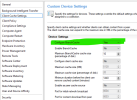
I was able to get this resolved by doing the following.
1. On your SCCM server, go to IIS Manager > Sites > Default Web Site > SMS_DP_SMSPKG$
2. Under the IIS section, double-click authentication
3. Select Anonymous Authentication and Enable
4. Feel free to do this on SMS_DP_SMSSIG$, NOCERT_SMS_DP_SMSSIG$, & NOCERT_SMS_DP_SMSPKG$
5. Click back to Default Web Site & in the actions pain, Restart the Website
On impacted client:
1. Clear ccmcache: Remove-Item -Recurse -Force C:\Windows\ccmcache\*
2. Restart client services: Restart-Service ccmexec
3. Restart Delivery Optimization services: Restart-Service DoSvc
Retry update.
I saw immediate results on the client when downloading updates after these changes.