
The November 2025 Microsoft Intune Service Release (2511) introduces several new security copilot agents, scope tags for EPM elevation requests, new admin tasks node in portal, visibility of soft-deleted Microsoft Entra groups in Intune admin center, and much more.
The November 2025 Intune updates should be automatically rolled out to all the tenants across major regions such as APAC, NASA, and EMEA. For more information on previously released updates, read the article on Intune monthly updates.
The Intune release for November 2025 includes the following new features and enhancements.
The November 2025 Intune updates should be automatically rolled out to all the tenants across major regions such as APAC, NASA, and EMEA. For more information on previously released updates, read the article on Intune monthly updates.
For more details, refer to Microsoft documentation on New Features and changes in Intune November 2025 Update.
The Intune release for November 2025 includes the following new features and enhancements.
1. Configure Windows Backup for Organizations
Starting in Intune 2511 release, Windows Backup for Organizations is generally available. This feature allows you to back up your organization's Windows settings and seamlessly restore them on a Microsoft Entra-joined device. Backup configurations can be managed through the Microsoft Intune admin center's settings catalog, while a tenant-wide option for device restoration is accessible under Enrollment in the admin center. For more information about this feature implementation, see Windows Backup for Organizations in Microsoft Intune.2. Security Copilot in Intune agents are available for public preview
Security Copilot agents in Intune are AI-driven assistants designed for specific scenarios. These agents can be accessed in the Intune admin center under the "Agents" section and are exclusively available to Security Copilot users. The following Intune agents are available:- Change Review Agent: This agent evaluates Multi Admin Approval requests for Windows PowerShell scripts on Windows devices.
- The Device Offboarding Agent: This agent identifies stale or misaligned devices across Intune and Microsoft Entra ID.
- The Policy Configuration Agent: This agent analyzes uploaded documents or industry benchmarks and automatically identifies matching Intune settings.
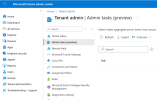
3. New Admin tasks node in the Intune admin center
The Admin tasks node in the Intune admin center offers a centralized hub to easily discover, organize, and manage security tasks and user elevation requests. Found under Tenant Administration, this streamlined experience includes search, filtering, and sorting capabilities, enabling you to prioritize tasks efficiently without navigating through multiple sections.4. Scope tag enforcement for EPM elevation requests
Endpoint Privilege Management elevation requests now enforce applicable scope tags. Administrators can only view and manage requests for devices and users within their assigned scope, ensuring stricter administrative boundaries and enhanced security. Previously, admins with permissions to manage elevation requests could access all requests, regardless of scope.5. Additional Volume controls in the Managed Home Screen
Admins can now enable more volume controls in the Managed Home Screen (MHS) app for Android Enterprise dedicated and fully managed devices. In addition to the existing media volume control, this update introduces configuration settings to show or hide sliders for call, ring and notification, and alarm volumes.6. Reset Managed Google Play store mode to Basic
You can now reset the Managed Google Play store layout from Custom back to Basic in the Intune admin center (Apps > All apps > Create Managed Google Play app).7. New cut, copy, and paste options for Windows app protection
Beginning with the Intune November 2025 release, new options for the "Allow cut, copy, and paste" setting in Windows app protection policies (starting with Microsoft Edge) will provide administrators with enhanced control over data movement.8. Soft-deleted Microsoft Entra groups now visible in Intune
Microsoft Intune now displays soft-deleted Microsoft Entra groups in the Intune admin center. When a group is soft-deleted, its assignments no longer apply. However, if the group is restored, its previous assignments are automatically reinstated.9. New prompts available to explore your Intune data
You can use Security Copilot in Intune to explore new prompts related to your data using natural language. Use these new prompts to view data on:- Users and groups
- Role based access control (RBAC)
- Audit logs
10. Incomplete user enrollment report removed
The incomplete user enrollments report has been removed and is no longer functional in the Microsoft Intune admin center. The following corresponding APIs have also been removed from Microsoft Intune.- getEnrollmentAbandonmentDetailsReport
- getEnrollmentAbandonmentSummaryReport
- getEnrollmentFailureDetailsReport


