Forums on Intune, SCCM, and Windows 11

Welcome to the forums. Register a free account today to become a member! Once signed in, you'll be able to participate on this site by adding your topics and posts, as well as connect with other members through your own private inbox!

SOLVED Task Sequence BIOS to UEFI

Status
Not open for further replies.

lalajee2018

Well-Known Member
Messages
143
Reaction score
6
Points
18
Hi,

I would like to convert BIOS to UEFI for ThinkPad.

I have the Tool which does that and wrote a INI file which will turn on some settings.

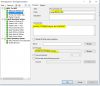
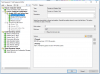
I upload the two files to SCCM source location (Bios program and INI file) then created a package
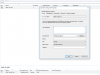
tempsnip.png
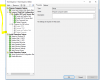
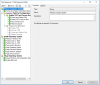
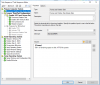
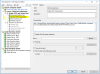
And then do the task sequence

tempsnip.png

But my task sequrence is failing with error code: PPD000003

Can you please let me know what I have done wrong here.
 
Can you tell me what is PPD000003 ?. Is that the boot image package ?. Check if that package is distributed to DP. I also suggest you to look at smsts.log file to see why the TS is failing.
 
Its failing with different error now. 0x80070490.

I cant seem to find what that PPD000003.

If I remove the BIOS to UEFI bit then the task sq works fine
 
You need Lenovo BIOS tool to switch BIOS to UEFI
and switch mbr to gpt:.
we use for BIOS
cmd /c powershell.exe -executionpolicy bypass -command "(gwmi -class Lenovo_SetBiosSetting -namespace root\wmi).SetBiosSetting('SecureBoot,Enable,BIOSPASSWORD,ascii,us')"

cmd /c powershell.exe -executionpolicy bypass -command "(gwmi -class Lenovo_SaveBiosSettings -namespace root\wmi).SaveBiosSettings('BIOSPASSWORD,ascii,us')"

for MBR
cmd /c mbr2gpt.exe /convert /disk:0 /allowfullos
 
I got it working for leavova and dell. I create a package with option as "do not create a program" and got command name and value from working machine and then try using them, for example our dell latop say enable rather then activate
 
Status
Not open for further replies.

Forum statistics

Threads
7,151
Messages
27,921
Members
18,223
Latest member
hvrieswijk

Trending content

Back
Top