
Stephen Fitzpatrick
New Member
- Messages
- 4
- Reaction score
- 0
- Points
- 1
Trying to capture Windows 10 Ent v1803 from SCCM 1802 and getting this error shown below.
The sysprep goes fine then when the VM reboots to capture image it captures volume 1 of 3 fine then goes onto scanning volume 2 of 3 stays on that for ages then get error.
I followed this guide to overcome the Windows 10 apps and sysprep issues.
https://www.terminalworks.com/blog/post/2017/04/22/sccm-image-capture-failing-in-windows-10-1610-reference-machine
So after Sysprep finishes and VM reboots I get error below.
Image Capture Failed with error code 0x80070005
With screen shot below.
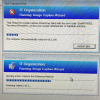
Here is a screenshot of SMSTS LOG
WIM error :\Program Files (x86)\Common Files\InstallEngine\con.isgsys4_aux1d.dat.{21EC2020-3AEA-1069-A2DD-08002B30309D}. Permissions on the requested may be configured incorrectly.
Access is denied. (Error: 80070005; Source: Windows)
Unable to capture the volume image (0x80070005)
Failed to capture system image. Permissions on the requested may be configured incorrectly.
Access is denied. (Error: 80070005; Source: Windows)

I had firstly tried using MDT 8450 to build and capture putting in a pause script to pause the job so we could install the apps. I also had powershell scripts in Deploymentshare\scripts folder and in the MDT Job, to turn off Windows Store updates then Pause Job, then Resume Job & Remove Built in Windows 10 Apps and then Re Enable Windows store updates. This has worked well before but now for this image.
When I tried to resume the job it said it could not find any of the scripts.
The sysprep goes fine then when the VM reboots to capture image it captures volume 1 of 3 fine then goes onto scanning volume 2 of 3 stays on that for ages then get error.
I followed this guide to overcome the Windows 10 apps and sysprep issues.
https://www.terminalworks.com/blog/post/2017/04/22/sccm-image-capture-failing-in-windows-10-1610-reference-machine
So after Sysprep finishes and VM reboots I get error below.
Image Capture Failed with error code 0x80070005
With screen shot below.
Here is a screenshot of SMSTS LOG
WIM error
:\Program Files (x86)\Common Files\InstallEngine\con.isgsys4_aux1d.dat.{21EC2020-3AEA-1069-A2DD-08002B30309D}. Permissions on the requested may be configured incorrectly.Access is denied. (Error: 80070005; Source: Windows)
Unable to capture the volume image (0x80070005)
Failed to capture system image. Permissions on the requested may be configured incorrectly.
Access is denied. (Error: 80070005; Source: Windows)
I had firstly tried using MDT 8450 to build and capture putting in a pause script to pause the job so we could install the apps. I also had powershell scripts in Deploymentshare\scripts folder and in the MDT Job, to turn off Windows Store updates then Pause Job, then Resume Job & Remove Built in Windows 10 Apps and then Re Enable Windows store updates. This has worked well before but now for this image.
When I tried to resume the job it said it could not find any of the scripts.
