

TDA
New Member
- Messages
- 3
- Reaction score
- 0
- Points
- 1
Hello everyone,
I'm having trouble with the Task sequence to do the InPlace Upgrade to W11 24H2 Enterprise from Windows 10 22H2 Enterprise.
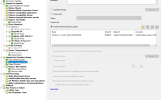
The task sequence is quite simple, it just stages the drivers and then upgrade the OS.
The task sequence works till windows 11 is installed, but then it never continues.
In the SMSTSLog I see that is timing out in detecting if the FeatureUpdate was applied:
In the setupact it seems that all went in the correct way.
In another environment I saw that it does take around 30/40min to go from "Successfully initiated RefreshUpdates operation" to the other steps in the Task sequence.
But in this environment, it just time outs. (I already tried to set the runtime for the IPU to 360mins)
Any hints to point me in the right direction to fix it are really appreciated
I'm having trouble with the Task sequence to do the InPlace Upgrade to W11 24H2 Enterprise from Windows 10 22H2 Enterprise.
The task sequence is quite simple, it just stages the drivers and then upgrade the OS.
The task sequence works till windows 11 is installed, but then it never continues.
In the SMSTSLog I see that is timing out in detecting if the FeatureUpdate was applied:
Code:
Successfully initiated RefreshUpdates operation. For troubleshooting, please refer to logs: UpdatesDeployment.log, UpdatesHandler.log, UpdatesStore.log, wuahandler.log, WindowsUpdate.logInstallSWUpdate26.06.2025 16:36:119632 (0x25A0)
Waiting for RefreshUpdates complete notification from Updates Deployment AgentInstallSWUpdate26.06.2025 16:36:119632 (0x25A0)
FALSE, HRESULT=800705b4 (F:\dbs\sh\cmgm\0317_193619_0\cmd\24\src\client\OsDeployment\InstallSWUpdate\installswupdate.cpp,1522)InstallSWUpdate26.06.2025 17:36:119632 (0x25A0)
Time-out expired waiting for updates refresh complete notification.InstallSWUpdate26.06.2025 17:36:11 9632 (0x25A0)
In the setupact it seems that all went in the correct way.
In another environment I saw that it does take around 30/40min to go from "Successfully initiated RefreshUpdates operation" to the other steps in the Task sequence.
But in this environment, it just time outs. (I already tried to set the runtime for the IPU to 360mins)
Any hints to point me in the right direction to fix it are really appreciated


